


Getting leads is one thing, but do you know what’s even tougher? Figuring out which ones actually matter.
Many teams blame their lead scoring issues on the math. They assume the score needs heavier points, updated rules, or tighter thresholds. The truth sits somewhere entirely different.
Your scoring model struggles because the data feeding it doesn’t give it anything useful to work with. Weak inputs leave the score with nothing solid to interpret. Once you look upstream, the pattern becomes obvious. Scoring depends on strong signals, clean properties, consistent tracking, and a shared definition of intent. Without these, even the smartest rules turn unreliable.
This article breaks down the most common failure points and shows how to build a foundation that produces accurate, revenue aligned lead scoring in HubSpot.
The Upstream Problem: Your Inputs Are Weak
Lead scoring is the process of assigning values to leads to indicate their likelihood of becoming customers, creating a data-driven priority list for your sales team.
But a scoring model only outputs what you feed it. If the signals going in are noisy, inconsistent, or incomplete, the result won’t tell you anything useful. Most teams try to fix scoring by adjusting point values, when the real breakdown happens long before the score gets calculated.
This is the part of the process most teams overlook: the upstream data. When your events, properties, and behavioral signals don’t reflect real buying intent, the scoring model has no reliable foundation to work from.
Most scoring issues trace back to four core problems:
#1: Poor Event Tracking That Fails to Capture Real Intent
Many HubSpot portals rely on surface level events. They track page views and form submissions, then call it a day. This creates a model that rewards broad curiosity instead of clear buying intent. Here’s what usually goes wrong:
- Missing or shallow tracking for key actions - Critical steps in the buying journey often go untracked. Examples include product usage milestones, pricing page revisit frequency, or deep content engagement.
- Overdependence on default signals - Page views and generic form fills rarely represent readiness to buy. When these signals carry most of the score, the model inflates casual traffic.
- No custom events tied to true intent - High intent actions look different in every business. If your portal doesn’t use custom events, the model can’t learn what matters.
- Weak weighting for meaningful engagement - Even when you track strong signals, you might treat them like any other interaction. If a lead requests a demo or explores a product feature page repeatedly, that behavior deserves clear, structured weight.
#2: Inconsistent or Incomplete Properties
HubSpot scoring depends heavily on properties, so a messy property architecture can break your model quickly. When teams create properties without coordination, you end up with duplicates, vague labels, and fields that no one fully understands. Properties without validation allow reps and marketers to enter inconsistent or incorrect data, making the model unreliable.
The problem worsens when critical attributes are missing during key lifecycle moments, such as lead creation, qualification, or handoff, because scoring logic then lacks essential context. On top of that, multiple sources, such as integrations, imports, and manual edits, can overwrite the same fields, causing the model to react to noise instead of meaningful patterns.
#3: Weak Behavioral Signals That Don’t Differentiate Interest
Not every action a lead takes carries the same meaning, and without a clear hierarchy of behavior, a scoring model can’t tell the difference between a casual visitor and a ready-to-buy prospect. Low-commitment actions, like signing up for a newsletter or downloading a top-of-funnel e-book, rarely indicate true sales intent, yet some models give too much weight to these minor interactions.
When engagement signals don’t reflect the actual buyer journey, the model generates false positives and misleads sales teams. To work effectively, scoring needs to differentiate between levels of intent, clearly separating early engagement, meaningful evaluation, and strong buying signals.
#4: Overreliance on Demographic Fit Instead of Quality Engagement
Demographic fit is important, but it alone doesn’t drive pipeline. Many scoring models place too much emphasis on factors like industry, role, and company size, which can overshadow actual engagement. Leads that look ideal on paper often receive high scores early, even when they show little or no interest.
While ideal customer profiles are useful for targeting, they shouldn’t dominate scoring, or sales will receive leads without real intent. A good scoring model treats fit as a qualification factor, separate from intent, since the two measure different aspects of lead quality.
What Strong Scoring Models Actually Need
A reliable scoring model grows from solid, aligned inputs. More rules won’t fix the issue. Better data will.
When properties are structured well, tracking is reliable, and intent is clearly defined, the model can produce signals that actually reflect buyer behavior. No amount of extra rules or complex math can compensate for weak inputs. Strong scoring comes from strong foundations, and the quality of those inputs determines how much value the model can deliver to marketing, sales, and RevOps.
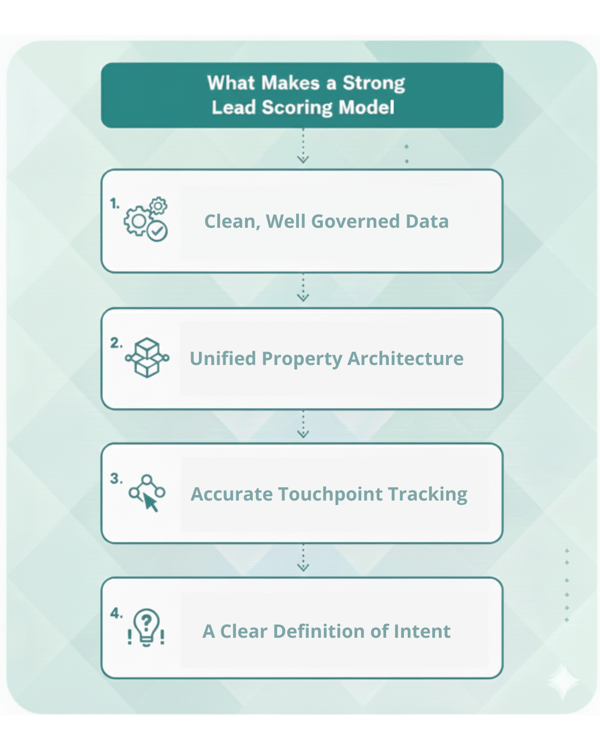
- Clean, Well Governed Data - Strong scoring starts with clean, well-governed data. Properties should be standardized, required fields should be enforced where necessary, and ownership for maintaining data quality should be clearly assigned. Without consistent data, the score reads contradictions instead of patterns.
- Unified Property Architecture - A unified property architecture ensures there is only one property for each core attribute, with clear descriptions and defined purposes. Alignment between marketing, sales, and RevOps ensures every team understands how to use these fields. When every team understands the fields, scoring becomes predictable and easy to maintain.
- Accurate Touchpoint Tracking - Accurate touchpoint tracking requires custom events that capture real buying intent and consistent tracking across all your tools. Attribution should support both automation and scoring. Strong tracking transforms random activity into clear signals.
- A Clear Definition of Intent in Your HubSpot Environment - A clear definition of intent in HubSpot starts with a shared understanding of what each level of intent looks like. Early intent includes light touches, discovery activity, and low-commitment interactions. Meaningful engagement covers deeper content consumption, return visits, and evaluation behaviors. Strong intent involves high-value actions such as demo requests, pricing inquiries, or product-qualified activity. Each stage should guide the lead toward the next lifecycle step and be reflected in scoring in a consistent, structured way.
Why “Fixing the Math” Doesn’t Fix the Model
Many teams try to fix scoring issues by adding more points or layering on new rules, but this usually moves things in the wrong direction. When point values pile up, the score becomes harder to interpret instead of more helpful. Additional rules start blurring the difference between weak and meaningful signals, and inflated scores make leads appear further along than they really are.
No amount of scoring math can compensate for data that is incomplete, inconsistent, or poorly defined. If the inputs remain unreliable, the final score will continue to misguide your sales team and weaken the handoff between marketing and sales.
How SR Pro Rebuilds Scoring Models the Right Way
Fixing a scoring model begins with the underlying system, not the point formula. At SR Pro, we help teams reset their scoring approach by addressing the real sources of friction inside HubSpot. Our RevOps framework focuses on data quality, property structure, behavioral signals, and intent definition so the model reflects how your buyers actually move through their journey. The result is a scoring system that supports smarter automation, cleaner handoffs, and a more predictable pipeline.
- 1. Custom Event Strategy - We start by shaping a custom event strategy that identifies the actions that truly represent intent, maps them to your buyer journey, and implements meaningful events across HubSpot. This gives your model the signals it needs to measure real behavior.
- 2. Lifecycle Architecture - We refine your lifecycle architecture so it matches the way your customers buy. Each stage becomes a reliable anchor for automation, scoring, and reporting.
- 3. Intent Modeling - We turn patterns in your engagement data into structured signals. Your model learns which behaviors matter, what strength they represent, and how to evaluate readiness consistently.
- 4. RevOps-Aligned Scoring Frameworks - We build scoring systems that give equal weight to fit, engagement, and intent. Your team receives clear thresholds for sales readiness and a handoff process that’s easy to follow.
When all four pieces come together, scoring becomes a strategic asset rather than a guessing game. Your team gains a model that’s consistent, predictable, and grounded in real buyer behavior, giving sales better leads and giving marketing sharper insights into what actually drives revenue.
Conclusion: Fix the Data, Not the Score
Investing in a well-structured lead scoring strategy does more than improve sales performance. It reshapes how your entire team works. While scoring issues can appear in different areas, they often trace back to a weak foundation.
If your scoring feels off, look upstream. Once the data is clean, the signals are consistent, and the intent is well defined, the scoring model becomes clear, reliable, and aligned with revenue. Clean the inputs, strengthen the signals, and give HubSpot a model built on real intent instead of noise.
Your scoring can work. Stop wasting time on bad math. Let our specialists build the data, lifecycle, and intent architecture your HubSpot model needs to succeed. Contact us today for a free review of your HubSpot setup.